The "Red Screen" Rescue

WordPress Malware Removal & Google Blacklist Fix

Is your website blacklisted? Our "Red Screen Rescue" case study reveals the exact process we use to clean malware, fix Google security warnings, and install real-time firewalls. Fast, reliable website repair by Jaydee Digital Agency

Platform WordPress
Project Red Screen Rescue
Category Website Repair

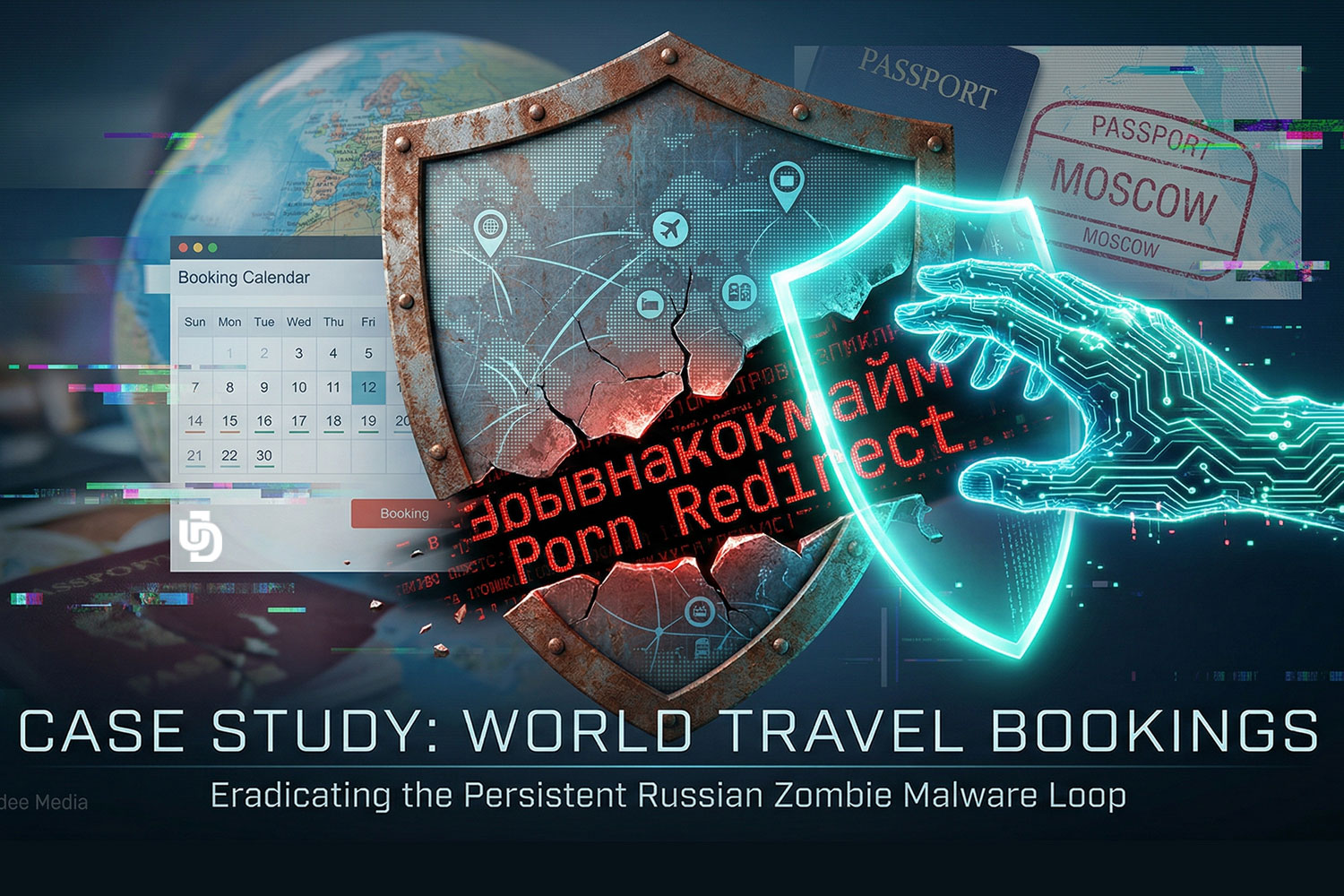
Project: The "Red Screen" Rescue: How We Restored Digital Trust & Security

  • Client: Confidential (Local Healthcare NGO)
  • Industry: Non-Profit / Healthcare
    Challenge: Critical Malware Infection &
  • Google Blacklisting
    Solution: Full-Stack Security Audit,
  • Surgical Malware Removal and Domain Whitelisting

🛑 The Crisis: A Vital Lifeline Interrupted

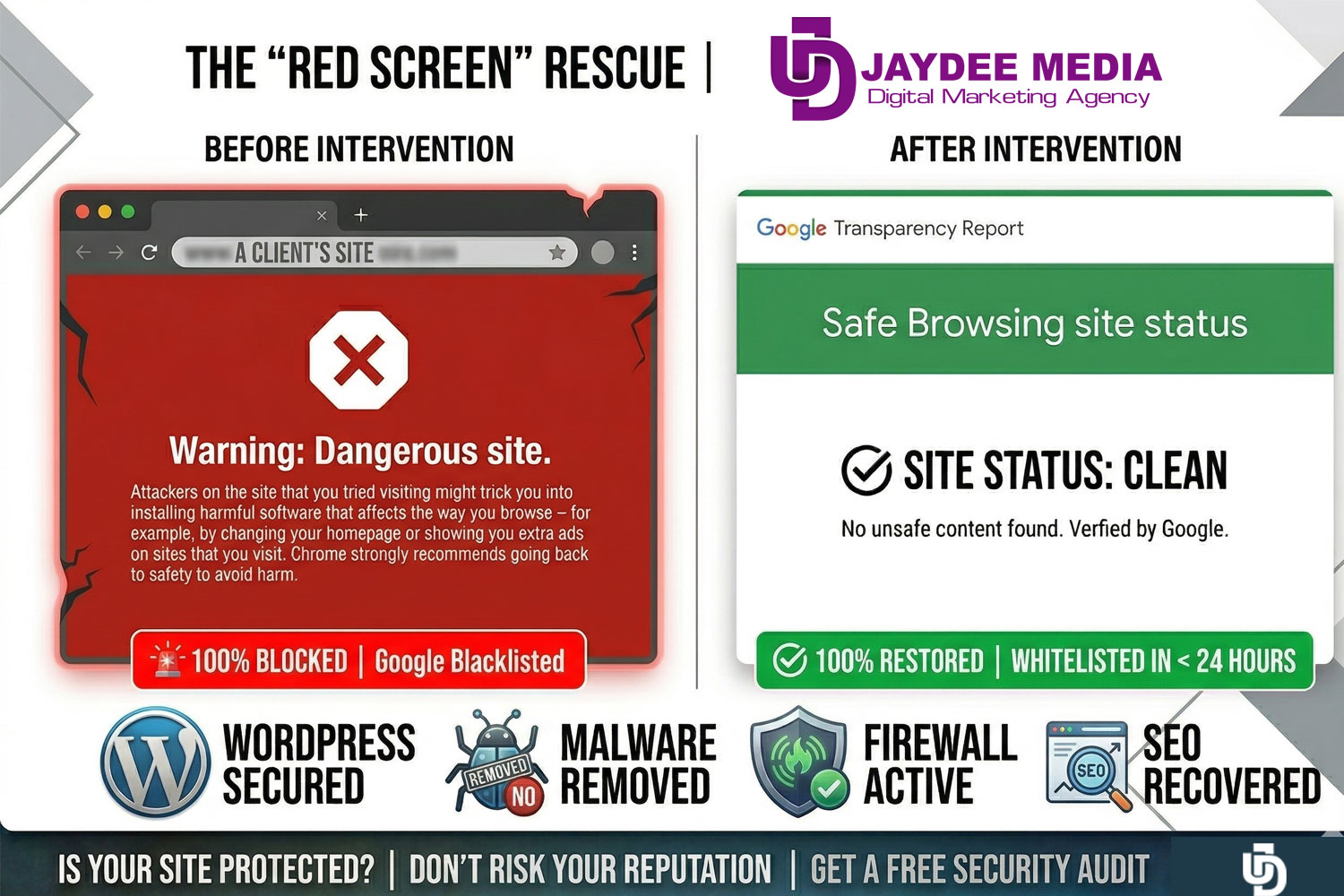
In March 2026, a prominent local healthcare organization found its digital doors locked. Their website—a critical resource for community support and donor engagement—was flagged by Google Safe Browsing.

Visitors were blocked by a “Dangerous site” red warning screen. For an organization built on trust, this was more than a technical glitch; it was a threat to their mission.

🔍 The Investigation: Finding the Backdoor

We performed a deep-dive security audit to find how the attackers bypassed existing defenses. We identified:

  • Malicious Script Injections: Sophisticated code hidden within core system files.
  • Vulnerability Exploits: Specific outdated components that allowed unauthorized access.
  • Reputation Damage: A “Critical” status in Google Search Console that required immediate expert intervention.

🛠️ The Jaydee Solution: A Surgical Cleanup & Fortification

We didn’t just “reset” the site; we rebuilt its defenses from the ground up:

  1. Comprehensive Scanning: We utilized advanced server-side scanning to identify and neutralize every trace of malicious code.
  2. Surgical File Repair: Instead of just deleting files and breaking the site, we surgically repaired core components like wp-login.php and .htaccess.
  3. Active Firewall Deployment: We installed and optimized a real-time Web Application Firewall (WAF), specifically tuned for their hosting environment, to block future attacks before they reach the server.
  4. Google Whitelisting: I managed the formal review process with Google, providing the necessary technical documentation to have the “Dangerous” flag removed.

✨ The Result: 100% Secure & Verified

The recovery was swift and successful:

  • Post-Fix: The red warning screen was lifted within 24 hours of the intervention.
  • Official “All-Clear”: The Google Transparency Report now confirms: “No unsafe content found.”
  • Ongoing Protection: The site is now under 24/7 monitoring with an active firewall, ensuring the organization can focus on its community, not its code.

“Our priority is ensuring that those who serve our community are never silenced by technical threats. We are proud to have restored this vital platform to full health.”
— Jeanette du Toit, Founder of Jaydee Digital Agency

Why did my website show a “Dangerous Site” red screen?

Google’s Safe Browsing technology flags sites that contain malicious code, phishing scripts, or unwanted software. This usually happens when a site is hacked through outdated plugins, weak passwords, or server vulnerabilities.

Is Your Website Truly Protected?

Don’t wait for a red screen to compromise your business. At Jaydee Digital Agency, we provide the technical expertise to keep your digital presence secure, fast, and reliable.

[Complete the form to check Security Audit Today]

Digital Services

Web Development & Design

Frequently Asked Questions | FAQ's

Website Malware & Repair

Do you provide ongoing website maintenance and SEO monitoring?

Yes! At Jaydee Digital Agency, we don’t just "fix and forget." We offer comprehensive Monthly Maintenance Plans that include:

Security & Firewall Management: Keeping your "Red Screen" protection active 24/7.

Full Web & SEO Audits: Monthly testing to ensure your site is fast, mobile-friendly, and ranking correctly on Google.

Software Updates: Safely updating WordPress, themes (like Woodmart), and plugins (like WPBakery or Elementor Pro) to prevent vulnerabilities.

Performance Optimization: Monitoring your Hostinger server environment to ensure peak loading speeds for your visitors.

Why did my website show a "Dangerous Site" red screen?

Google’s Safe Browsing technology flags sites that contain malicious code, phishing scripts, or unwanted software. This usually happens when a site is hacked through outdated plugins, weak passwords, or server vulnerabilities.

How long does it take to remove the red warning?

While we can usually clean the malicious files within a few hours, Google must then re-scan the site. This "Request Review" process typically takes between 24 to 72 hours to fully clear the warning across all browsers.

Can I just put up an "Under Construction" page to fix it?

No. An "Under Construction" page only hides your content; it doesn't remove the malicious scripts that Google has detected. The domain remains blacklisted until the underlying security threat is surgically removed and verified.

Will my SEO rankings be affected by a malware infection?

If left unresolved, a "Dangerous Site" flag can lead to a total drop in search rankings. However, by acting fast—like we did in our Red Screen Rescue case study—most sites recover their previous rankings once the site is clean and verified as secure.

Do I need to buy Wordfence Premium for my site?

The free version is excellent for basic protection, but for high-stakes sites or NGOs, we recommend Wordfence Premium. It provides real-time malware signatures and country-blocking features that stop attacks before they even reach your server.

What should I do if I see the "Dangerous Site" warning on my site?

Immediately disconnect any auto-posting to social media, avoid logging in from an unsecured network, and contact a security specialist. Every hour the red screen stays up, your brand’s trust level drops.

How do I get in Touch?

You can start by visiting Jaydee Media and completing the project enquiry form. The team will review your requirements and recommend the best video production approach for your business.

Do You Need a SEO & Website Audit?